


JBL PartyBox
4.82.17K Reviews
App Specs
- Version
- 3.14.20
- Updated On
- License
- Free
- Downloads
- 5,000,000+
- Developer
- Harman Consumer, Inc.
- Categories
- Music & Audio
- Platform
- Android, iOS
Screenshots
 Analysis by AppCompare
Picture this: It's Friday night, and you're planning to throw an epic party. The guest list is set, the snacks are ready, but you're missing one crucial element — the music. Enter the JBL PartyBox app, your new best friend for turning any gathering into a memorable dance fest. This app promises to transform your smartphone into a DJ station, letting you control your JBL PartyBox speaker with ease. Let’s dive into what makes this app a must-have for party enthusiasts.
Setting the Stage: What Is JBL PartyBox?
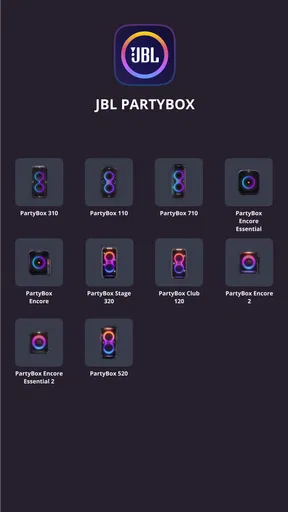
Alright, let’s get into the nitty-gritty. The JBL PartyBox app is designed to be the ultimate companion for your JBL PartyBox speaker. Whether you’re rocking a small get-together or a massive bash, this app allows you to control everything from the light settings to the sound effects, all with a few taps on your phone.
Getting Started
First things first, downloading and setting up the app is a breeze. Available on both Android and iOS, just head over to the Google Play Store or Apple App Store, install it, and you’re good to go. Once installed, connecting it to your speaker is simple. You just need to ensure your Bluetooth is on, and voilà, they’re paired!
Immediately, I've noticed how intuitive the interface is. It’s like JBL really thought about making this as user-friendly as possible. You don’t need to be a tech wizard to get the hang of it, which is a huge plus in my book.
The Features That Make It Shine
Now, let’s talk about the features. The app offers a range of controls that can seriously level up your party experience.
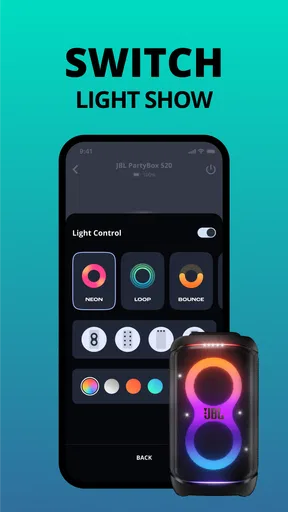
- Light Show Control: This feature lets you customize the light patterns on your speaker. It’s super fun to play around with the different modes, and it really adds to the vibe of the party.
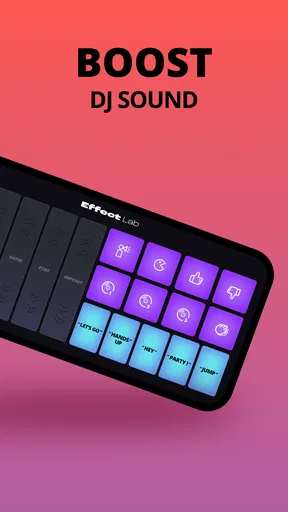
- DJ Effects: Feeling a bit like a DJ? You can mix in sound effects like air horns or cheers. Trust me, it’s a crowd-pleaser.
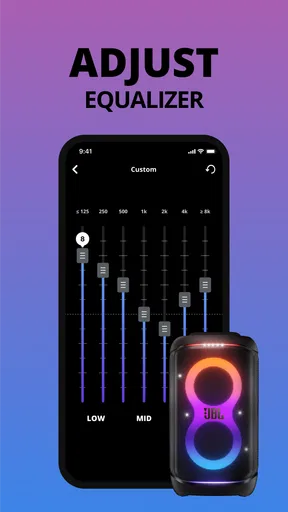
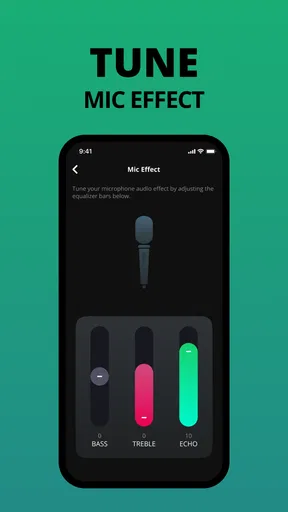
- Sound Customization: Want more bass? No problem. The app allows you to tweak the sound settings to your liking, ensuring that the music hits just right.
Party On, Anywhere
One standout aspect is how the app allows you to take control of your party no matter where you are. Imagine stepping away from the crowd to grab a drink, and still being able to change the playlist or adjust the volume without missing a beat. That’s the kind of convenience the JBL PartyBox app brings to the table.
Smooth As Butter
In terms of performance, the app is smooth sailing. I didn’t experience any lag or glitches, which is crucial when you’re trying to keep the energy alive at a party. It’s reliable, which means you can focus on having fun rather than fussing over tech issues.
Worth Reading Before You Choose

Flipboard Shows What News Apps Must Do Beyond the Feed

Switching to Android Auto Means Rethinking Your Driving Routine

Google Calendar Makes a Crowded Week Easier to Manage

Ludo King Makes the Most of the Minutes Between Plans

Baby Panda World Brings Quick Play to Modern Phones, but Its Game Library Feels Busy

ESPN’s Live Game View Makes Following Close Games Easier
Room for Improvement?
No app is perfect, and the JBL PartyBox is no exception. While it’s packed with features, I’d love to see even more sound effects options and perhaps an update to allow for integration with music streaming services. It’s not a dealbreaker by any means, but it would be a nice touch for future versions.
Another point to consider is that while the app is excellent for PartyBox speakers, it’s not as useful with non-compatible JBL devices. So, if you’re planning to use it with other Bluetooth speakers, you might not get the full experience.
The Final Beat
At the end of the day, the JBL PartyBox app is a fantastic addition to any party planner’s toolkit. It’s user-friendly, packed with features, and honestly, it just makes hosting way more fun. Whether you’re hosting a birthday bash or just a casual get-together, this app ensures you have control over the atmosphere and energy.
So, if you’re looking to bring your party game to the next level, downloading the JBL PartyBox app is a no-brainer. Let the good times roll, and let JBL handle the rest!
Pros
- Excellent sound quality enhances party atmosphere.
- Bluetooth connectivity is seamless and reliable.
- Durable construction ensures long-lasting use.
- LED light effects create a vibrant ambiance.
- Battery life is impressive for extended play.
Cons
- Large size may be difficult to transport.
- Price is higher compared to other speakers.
- Limited app features for customization.
- Hefty weight makes it less portable.
- No water resistance for outdoor use.
FAQs for JBL PartyBox
What is the JBL PartyBox app used for?
The JBL PartyBox app is designed to enhance your experience with JBL PartyBox speakers. It allows you to control the lights, sound modes, and other features directly from your smartphone. This app provides an intuitive interface to adjust settings and create a personalized listening experience for your events.
How does the JBL PartyBox app connect to the speaker?
The JBL PartyBox app connects to your speaker via Bluetooth. Once the speaker is paired with your device, the app automatically recognizes it, allowing you to control various functions such as volume, lighting effects, and sound modes. Ensure your Bluetooth is enabled and the speaker is within range for a seamless connection.
Can I use the JBL PartyBox app with multiple speakers?
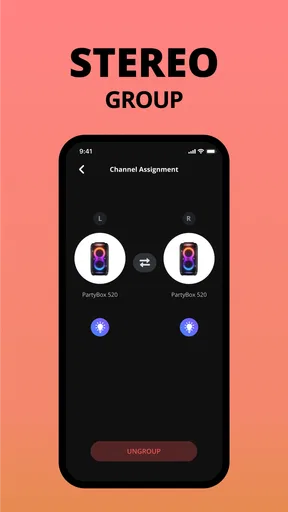
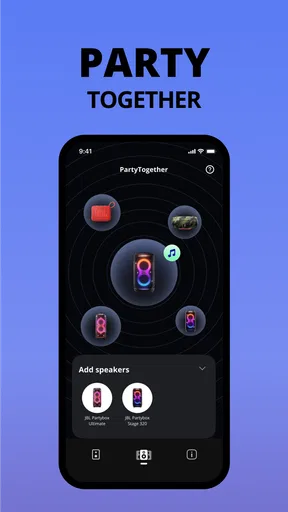
Yes, the JBL PartyBox app supports the use of multiple speakers. You can connect and control several JBL PartyBox speakers simultaneously. This feature is perfect for creating a synchronized sound experience at larger events, ensuring that everyone enjoys the same high-quality audio performance.
What customization options are available in the JBL PartyBox app?
The JBL PartyBox app offers various customization options, including adjusting the EQ settings, selecting different lighting patterns, and setting sound modes. You can also choose from preset modes or create your own configurations to suit your party's mood and atmosphere, providing a truly personalized audio-visual experience.
Is the JBL PartyBox app compatible with all smartphones?
The JBL PartyBox app is compatible with both Android and iOS devices. However, it's essential to check that your smartphone meets the minimum operating system requirements specified by the app. Regular updates ensure compatibility with the latest devices, but older smartphones may experience limitations.


